 Abotts partners with NYPL to integrate with their partner libraries.
 Upworks Inc partners with ABOTTS to build their Oracle Cloud Infrastructure (OCI).
 Abotts Inc Partners with Gnorth consulting to deploy exadata and ODA.
Backup Retention in OCI ADB
Steps to Change Backup Retention in OCI ADB
Navigate to Autonomous Database
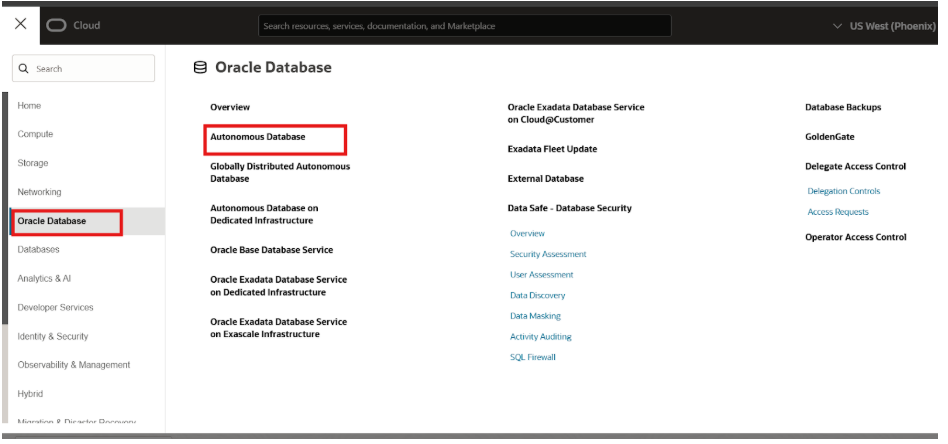
Click on the Autonomous Database instance for which you want to modify the backup retention.
Modify Backup Retention: In the database details page, look for the “Backup” section. And Click on “Edit”
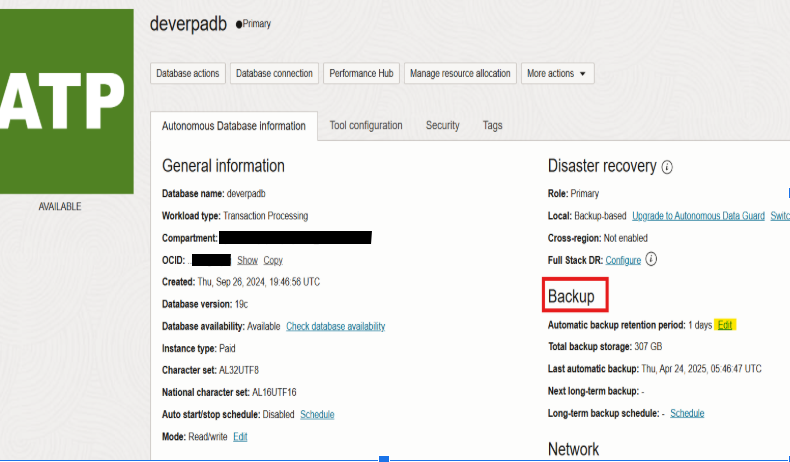 Adjust the “Backup Retention Period” to your desired number of days. And save the changes.
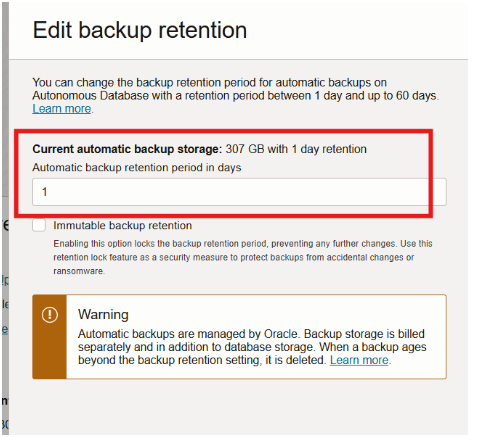
NOTE:
The retention period determines how long backups are kept. Setting it to a lower value will reduce storage costs but may limit your ability to restore to older points in time.