

 Abotts partners with NYPL to integrate with their partner libraries.
 Upworks Inc partners with ABOTTS to build their Oracle Cloud Infrastructure (OCI).
 Abotts Inc Partners with Gnorth consulting to deploy exadata and ODA.
Handling Error (276) – The database xyz in the multi-user mode
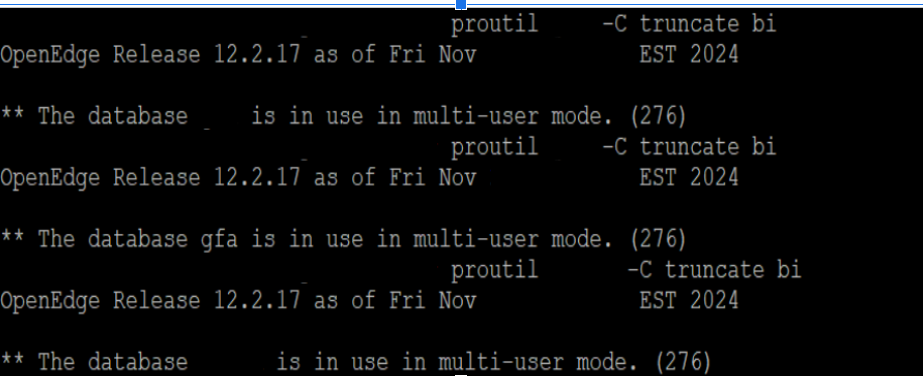
This Progress OpenEdge error occurs when you attempt to start a database in a mode that conflicts with its current state:
- The database xyz is already running in multi-user mode (started with proserve).
- You (or a script) are trying to access it in single-user mode.
- Or the database was not shut down cleanly, leaving behind a .lk lock file or shared memory segments.
Causes
- Attempting to open the database in single-user mode while it is already running in multi-user mode.
- Another DBA or service already started the DB.
- State lock file (xyz.lk) exists after an improper shutdown.
- Shared memory/semaphore segments remain attached to the system after a crash.
- The port/service is already bound to a running DB process.
Resolution Steps
Step 1: Check if the Database is Running
ps -ef | grep progress
ps -ef | grep _mprosrv
If the DB is running, connect in multi-user mode instead of restarting.
Step 2: Check the Port/Service
netstat -anp | grep mprosrv
lsof -i :<db_port>
Confirms if the DB is already bound to the configured port.
Step 3: Clear Stale Shared Memory/IPC Segments
(Only if DB is confirmed down)
ipcs -m
ipcs -s
ipcrm -m <shmid>
ipcrm -s <semid>
Step 4: Remove Lock File (if DB is down)
ls -l /xyz/prod/db/db/xyz.lk
rm -f /xyz/prod/db/db/xyz.lk
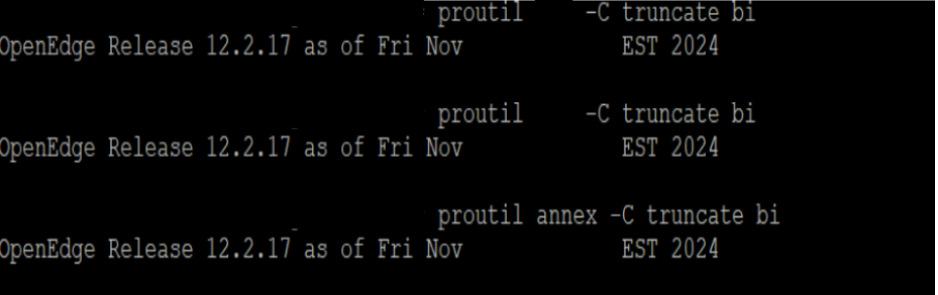
Step 5: Try to truncate the database again
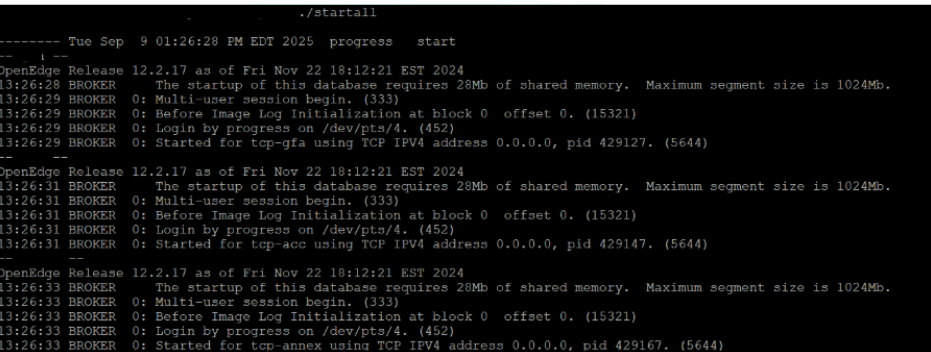
Step 6: Start the service
Preventive Measures
- Always check services & ports before starting a DB.
- Do not mix single-user and multi-user modes.
- Use /.stopall for clean shutdowns (never kill -9).
- Remove the .lk file only after confirming DB is not running.
- Monitor and alert on DB ports and processes.
- Automate startup/shutdown scripts to handle:
- Service check
- Port check
- .lk cleanup
- IPC cleanup
Conclusion
The error “The database in the multi-user mode. (276)” occurs when there is a conflict between single-user and multi-user modes or when leftover lock files/shared memory segments mislead the system into thinking the database is still running.
By consistently checking database services and ports, properly handling lock files, and ensuring clean shutdowns, this error can be quickly resolved and easily prevented in the future. Adopting structured startup and shutdown procedures not only reduces downtime but also safeguards database integrity and ensures smooth multi-user operations.